

Vol. I · The Modern Wedding
A wedding,
composed.
Wedding planning for the modern couple. Budget, guests, seating and the whole story, kept with the quiet care of a planner you trust.
Free to start · no card required

The Practice
Every part of the day, in one calm workspace.
Not a folder of spreadsheets and twelve open tabs. One considered place where the budget, the guest list and the night come together.
Track every cost
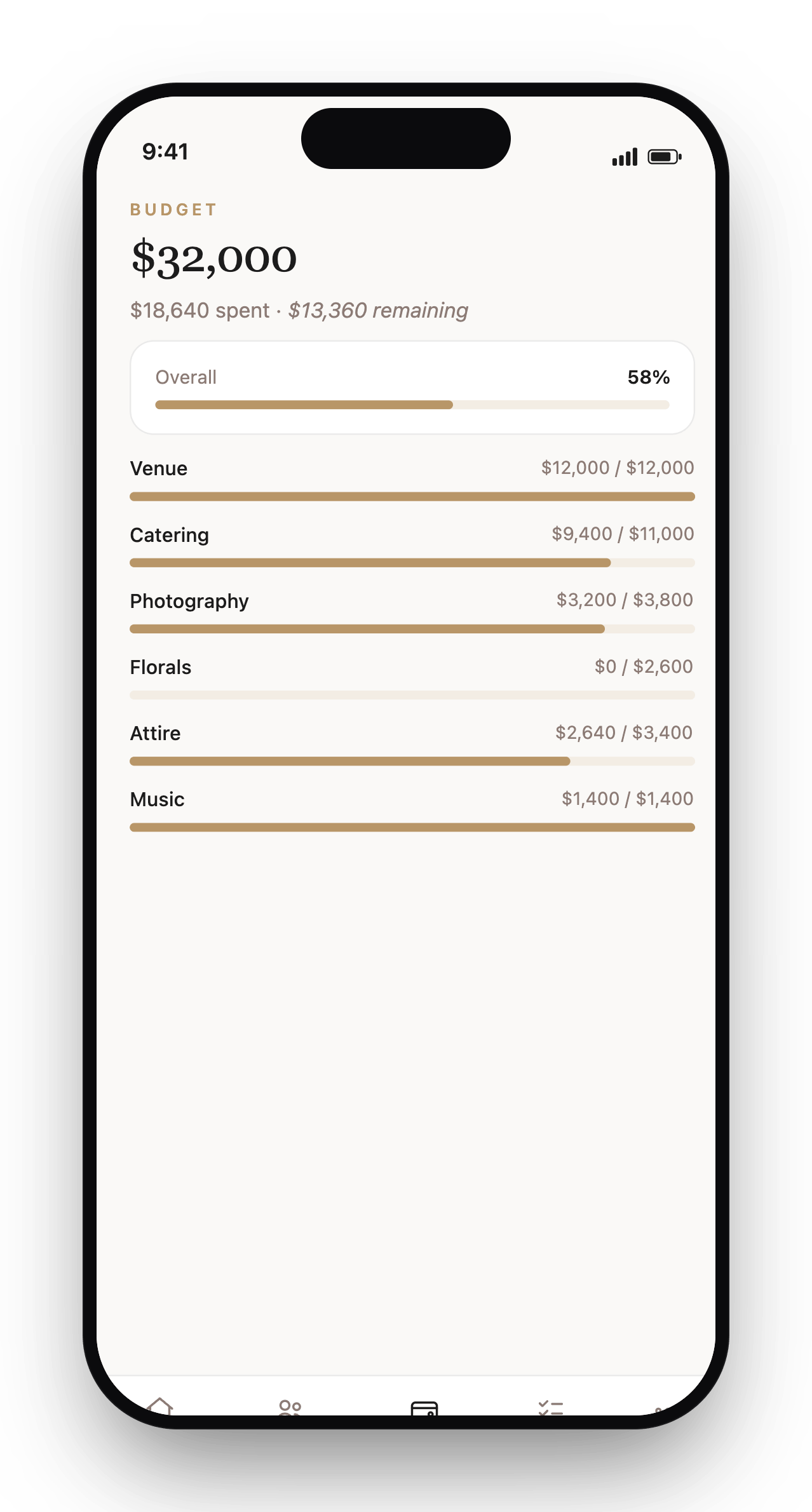
Categories, contributors and payment schedules. Your whole budget without the spreadsheet.
Tend to the list
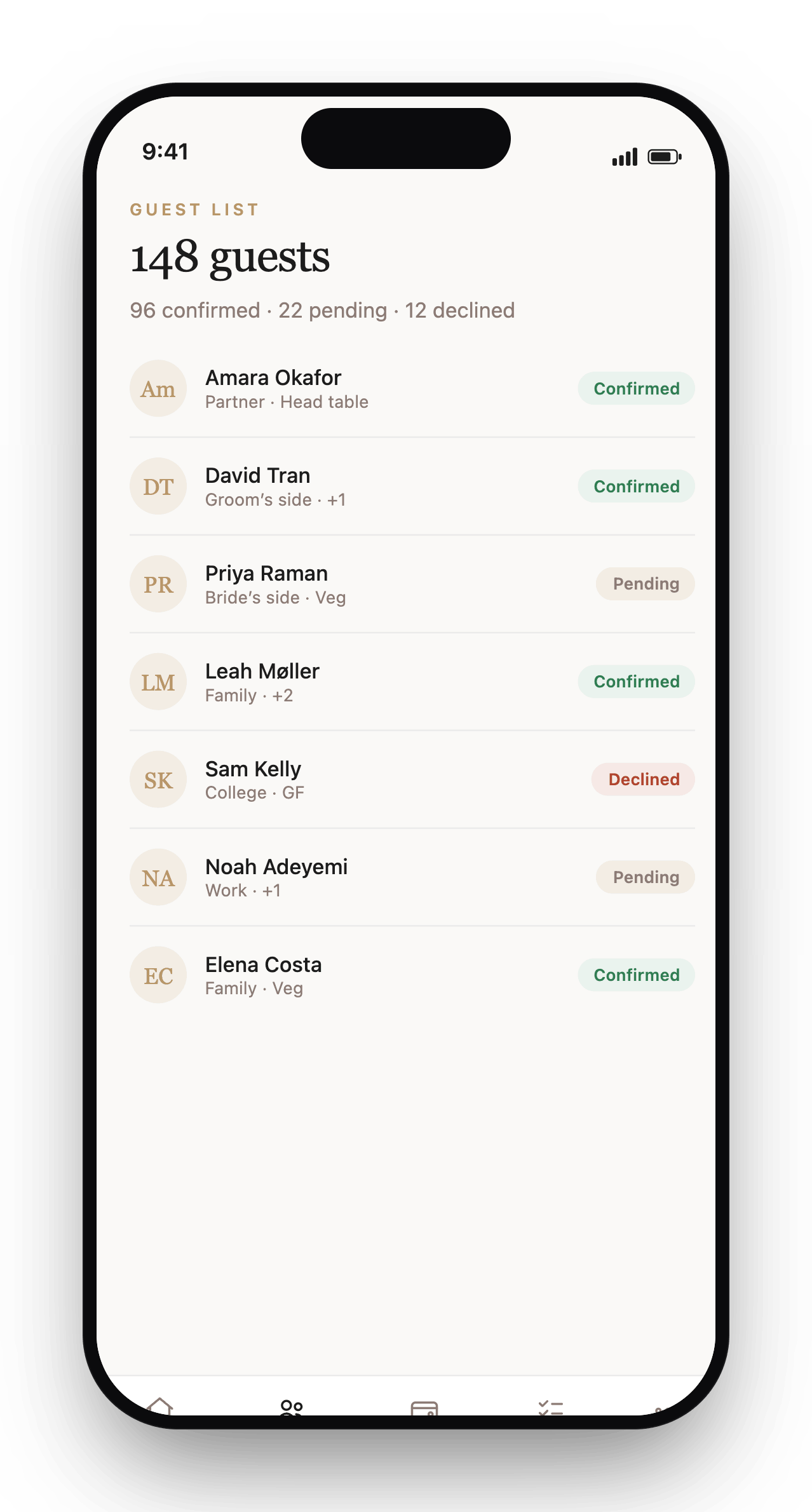
RSVPs, dietary needs, custom questions, bulk edits, save-the-dates and invitations in one tidy list.
Set the room
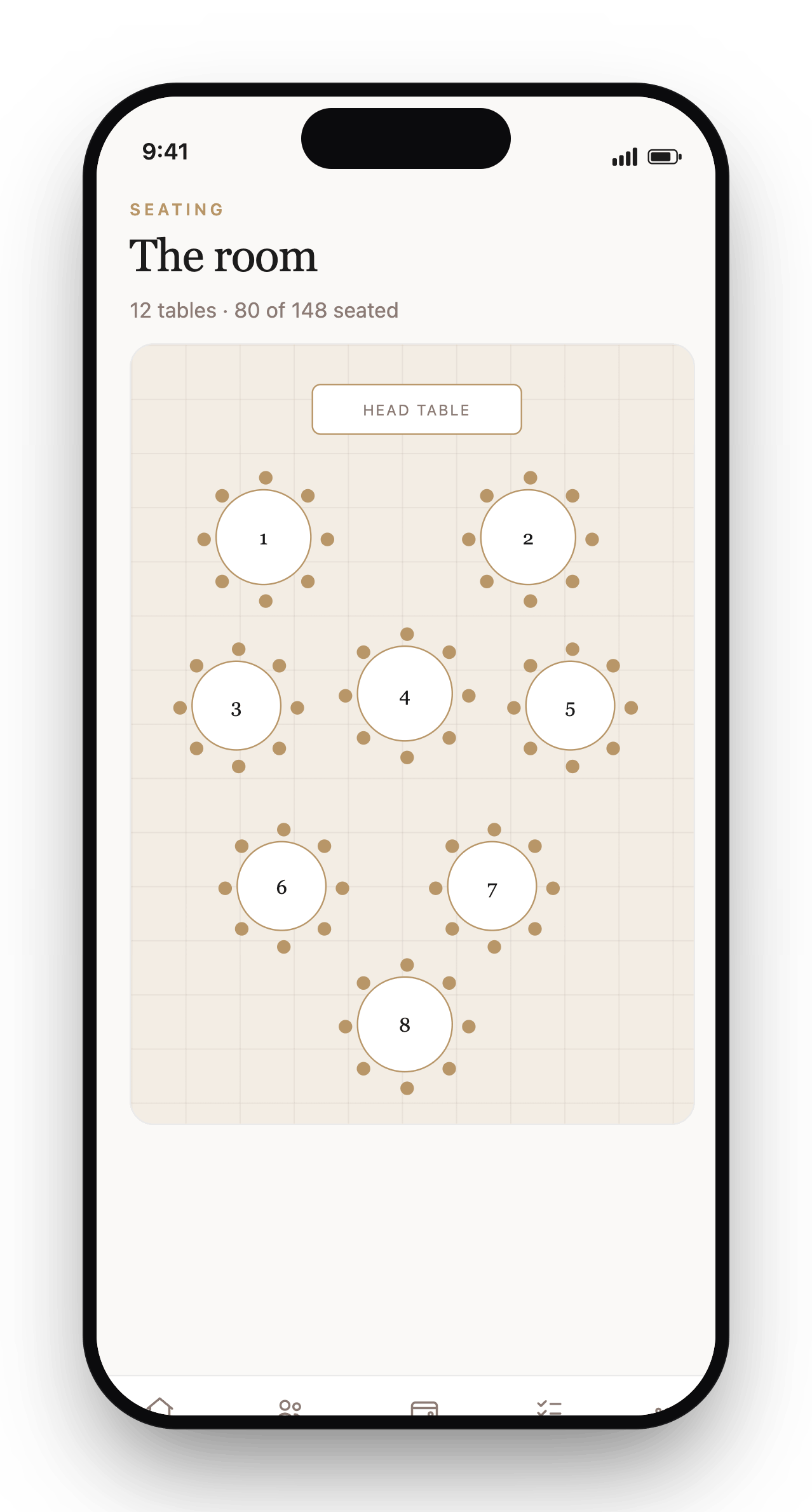
Drag tables into place, print charts, and issue QR seat-finder cards your guests scan at the door.
Hold the details
Quotes, contracts, deposits and payments. Every supplier tracked, no inbox archaeology.
Run the day
A shared day-of schedule with PDF export and a calendar (.ics) feed for everyone involved.
Tell your story
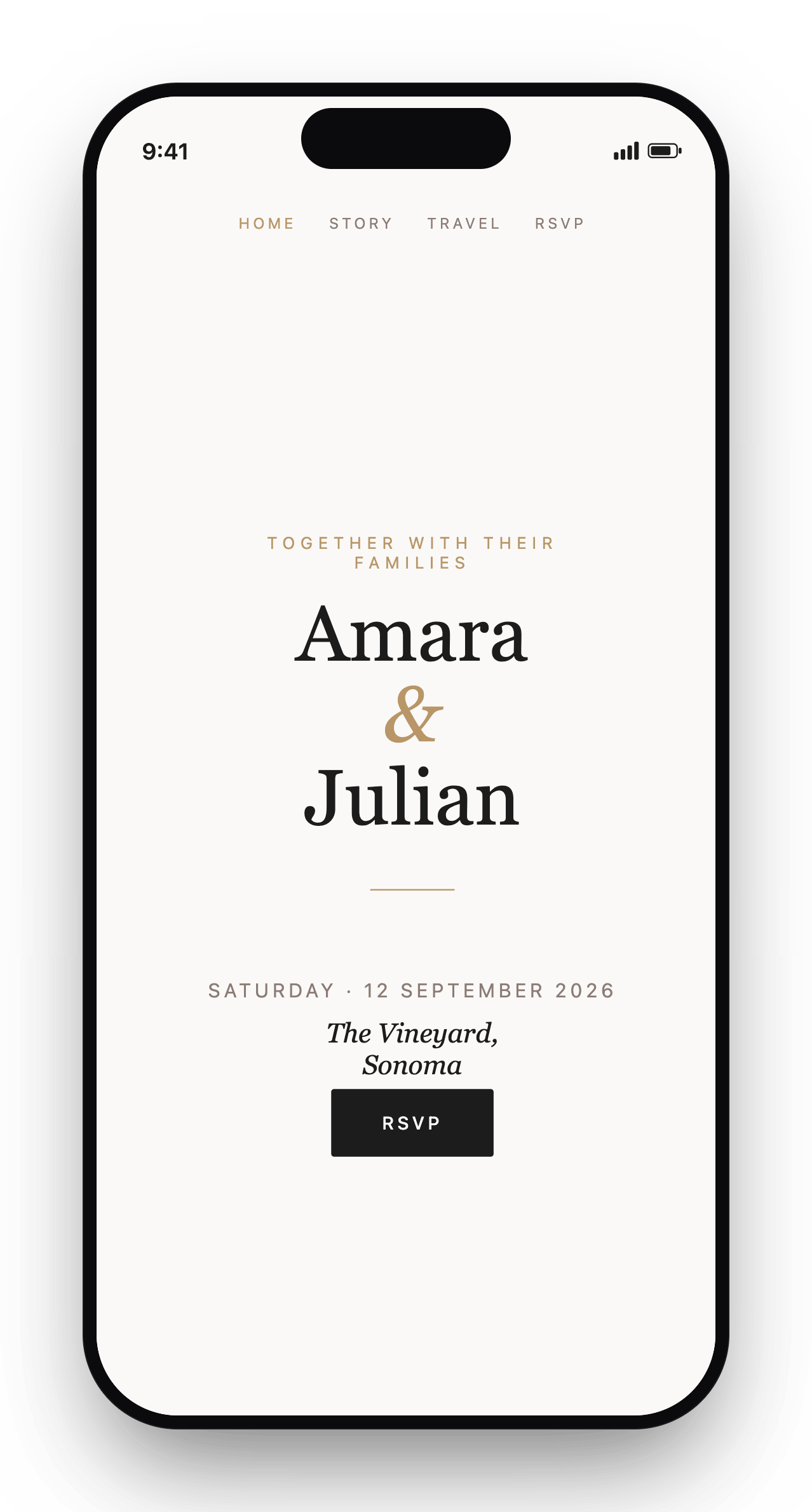
A public wedding site with online RSVP, plus a guest photo gallery the whole room fills in.
A look inside
Considered on every screen.
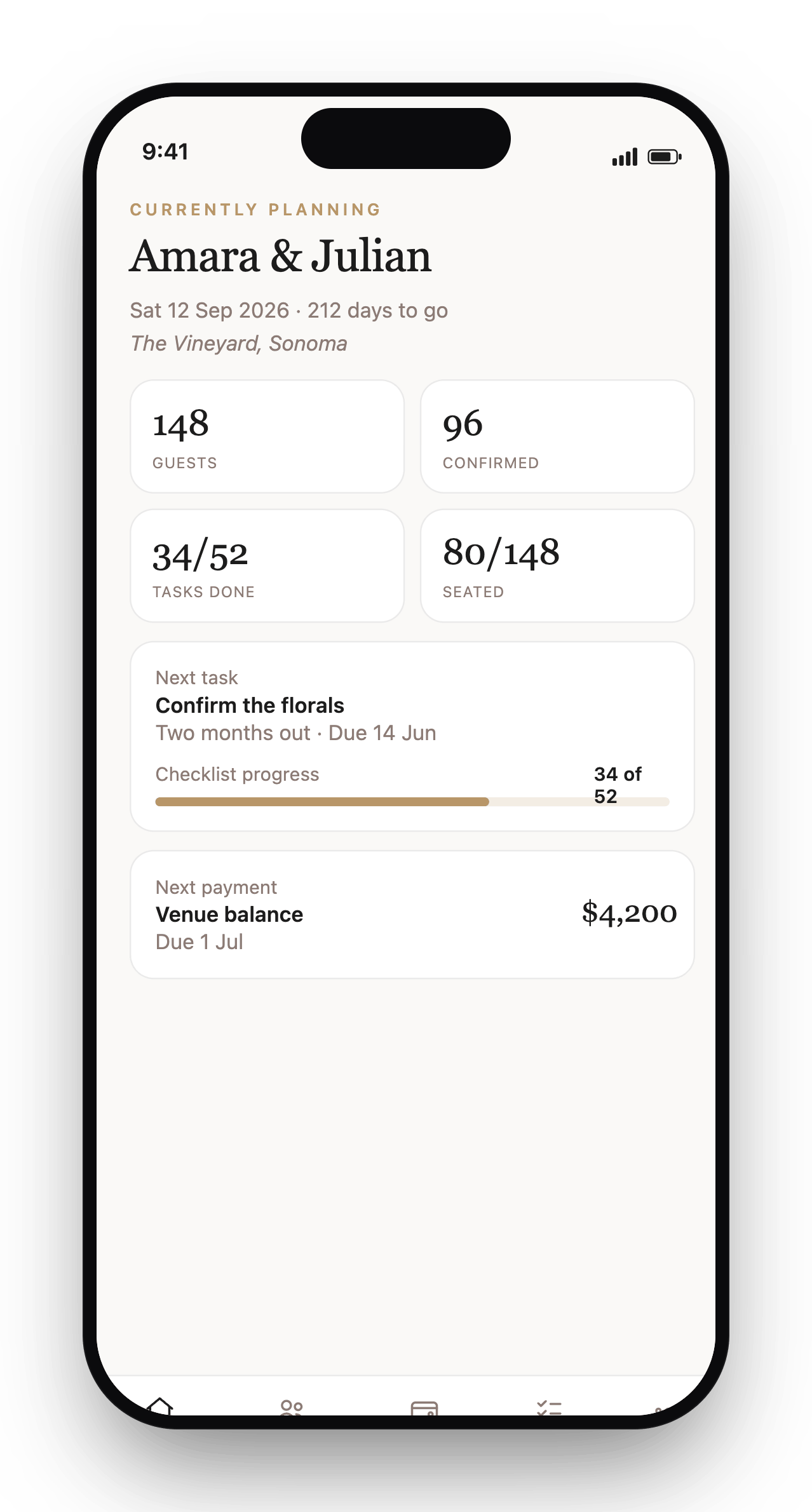
The same calm, editorial workspace whether you're at the kitchen table or checking a detail from your phone.
Manifesto
A wedding deserves more than spreadsheets, group chats, and twelve open tabs.
Most planning tools were built for productivity. My Wedding Planner is built for an evening you'll remember: the quiet calm of a planner who has already thought of everything, kept in one place.
Invite the people you trust and give each a fitting view: your partner, your planner, family and wedding party, even your vendors. Everyone stays on the same page, and the page stays calm.
And it stays yours. We're free, with no ads, no upsells and no catch. We don't sell your details to vendors, fill your inbox with sponsored offers, or rank suppliers by who paid us — because we don't take their money. Your guest list, your budget and your photos are yours alone, and you can export them any time.
1 link
RSVP, seat & photos
5 roles
Tailored access
$0
To begin
In your pocket
The whole plan, on the day and every day before.
A native iPhone app. Face ID lock, due-date reminders, calendar sync, and one-tap contact import so building your guest list takes minutes.
- Face ID / Touch ID app lock
- Local due-date reminders
- Calendar integration
- Import phone contacts
- Guest photo sharing
- Offline-friendly
The Price
Every feature. Free.
There is no premium tier and nothing held back. Every couple gets the whole platform, free, with no card required — now and always.
Plan one wedding with the complete platform: unlimited guests, unlimited collaborators, the wedding website, guest photo sharing and the QR seat-finder all included.
Start planningEverything included
- Unlimited guest list
- Unlimited collaborators
- Date-anchored planning checklist
- Budget with categories & payment schedules
- Seating chart & printable place cards
- Seat-finder QR cards
- Vendor & contract tracking
- Day-of timeline with PDF & calendar feed
- Inspiration board
- Custom RSVP questions & themes
- Send save-the-dates & invitations
- Public wedding website builder
- Guest photo sharing with QR
- 3D floor plan & PDF export
One wedding per account · 100 GB of storage per wedding · No card, ever
Questions
Everything you might ask.
Getting started
What is My Wedding Planner?
My Wedding Planner is a planning platform for one wedding, kept in one place. It brings the budget, guest list, RSVPs, seating chart, vendors, day-of timeline, inspiration, a public wedding website and guest photo sharing together, so you stop juggling spreadsheets, group chats and a dozen open tabs. You invite the people you trust, give each the right view, and plan the whole evening from one workspace.
How do I begin, and is a credit card required?
Create a free account, confirm your email and you are planning within minutes. No credit card needed, ever. Every feature is included from the start: checklist, budget, guest list, seating, vendors, timeline, inspiration, the wedding website, guest photo sharing and the QR seat-finder. There is nothing to buy and nothing held back.
What you get
Is everything really free?
Yes. Every feature is included for everyone, with no premium tier and no payment. You can plan one wedding per account, invite as many collaborators as you like, add an unlimited guest list, and use the website builder, custom RSVP themes, guest photo sharing, the QR seat-finder and the 3D floor plan with PDF export. There is no card to enter at any point.
How many guests and collaborators can I have?
As many as you need. The guest list is unlimited, and you can invite an unlimited number of collaborators to help plan. Each wedding has 100 GB of file storage for inspiration imagery, your wedding website and guest photo galleries, which is plenty for a typical celebration.
The app
Is there a mobile app?
Yes. There is a native iPhone app that shares the same wedding as the web. The app adds Face ID and Touch ID lock to keep your plans private, local reminders before a task is due, calendar integration, one-tap import of your phone contacts when building the guest list, guest photo sharing, haptics and offline support for venues with patchy signal.
Do I have to choose between the app and the website?
No. The mobile app and the web app are two windows onto the same wedding, so a change made on your phone shows on the laptop and the other way round. Plan in detail on a big screen, then check the day-of timeline or tick off a task from your phone. Collaborators can each use whichever they prefer.
Collaborators
Can I plan together with my partner and family?
Yes. Planning is meant to be shared. Invite your partner, a planner, family, the wedding party, even your vendors, and each person gets a view fitted to their role. A planner can see the timeline and budget, family can help with the guest list, a vendor can confirm just their details. You can invite as many collaborators as you need.
What can each role see and edit?
Every collaborator joins with one of five roles: partner, planner, family, wedding party or vendor. Each role has sensible defaults for which sections it can read or edit, from the checklist and budget to seating, guests and vendors. As the couple you can fine-tune those permissions per section, so people see what helps and nothing that does not concern them.
Guests & website
How do RSVPs and the guest list work?
Your guest list keeps party sizes, dietary needs and notes in one place, with bulk editing for the big stretches. You can send save-the-dates and invitations by email, and collect replies online, including your own custom RSVP questions such as menu choices or song requests. Responses flow straight back into the list, so your headcount and seating stay in step without re-typing.
Can I build a wedding website and share guest photos?
Yes, both are included. You get a public wedding website with online RSVP and a choice of refined themes, so guests have one link for the details and to reply. There is also a guest photo gallery with a QR code: place the code on tables or in the programme and guests upload their shots of the night, so you wake up to every angle you never saw.
What is the QR seat-finder?
Once your seating chart is set, you can issue QR seat-finder cards. A guest scans the code at the door and is shown their table straight away, with no crowding around a printed board. You can still print classic place cards and a seating chart too; the QR card is a calmer way to guide a full room to their seats.
Data & privacy
Who owns my wedding data, and how private is it?
Your wedding is yours. Only the people you invite can see it, each limited to their role, and your sign-in is protected by mandatory email verification, with Face ID or Touch ID adding a further lock in the app. Sensitive operator settings are encrypted at rest. Nothing about your guest list, budget or photos is sold or shared. Only the public pieces you deliberately publish, your wedding website and the photo-share link, are visible to anyone with the link.
Can I export my timeline and details?
Yes. Your day-of timeline exports to a clean PDF for the team and to a calendar feed in the standard .ics format, so it drops straight into Apple Calendar, Google Calendar or Outlook. Seating produces printable place cards and charts, and your wedding website gives guests a permanent link to the essentials, so the plan travels with everyone who needs it.
From the guestbook
“My Wedding Planner pulled a year of planning into one calm screen. Our mums kept an eye on the budget, our planner kept the timeline moving, and the two of us actually enjoyed the run-up.”
Eleanor & Hugh
Married Apr 2026 · The Lake District
“The QR seating cards had everyone scanning at the tables — guests kept saying "this is so them."”
Sophie & Tom · Edinburgh
“We woke up the morning after to 300 guest photos in the gallery — every corner of the night we'd missed.”
Beatrice & George · The Yorkshire Dales
Begin
Begin the composition.
Free to start. No card required. Built for the day you will remember forever, and every quiet evening of planning before it.